
Instagram Story are short photo and video posts that disappear after 24 hours. Stories are not ordinary like posts. These permit you to share amazing moments from your day with your friends and fans.
Stories have become famous since Instagram presented them in 2016. At present, more than 500 million Instagram clients post a story consistently.
Why use Instagram Stories?
- Share authentic, behind-the-scenes moments easily
- Engage followers with polls, questions, sliders, and more
- See who views your story and replay it for 24 hours
- Post as much as you want without flooding followers’ feeds
- Utilise creative tools like text, drawing, filters, music, etc.
Viewing Instagram Stories
Whether you simply want a quick look into a friend’s everyday activities or yearn for a behind-the-scenes view of your favorite famous face, Instagram accounts offer simple ways to keep current on recent exploits.
Scrolling through photos of meals shared, informal self-portraits snapped, and scenic shots spotted gives a peek into how others fill their days.
View stories from people you follow
To view stories from people you follow:
- Open the Instagram app
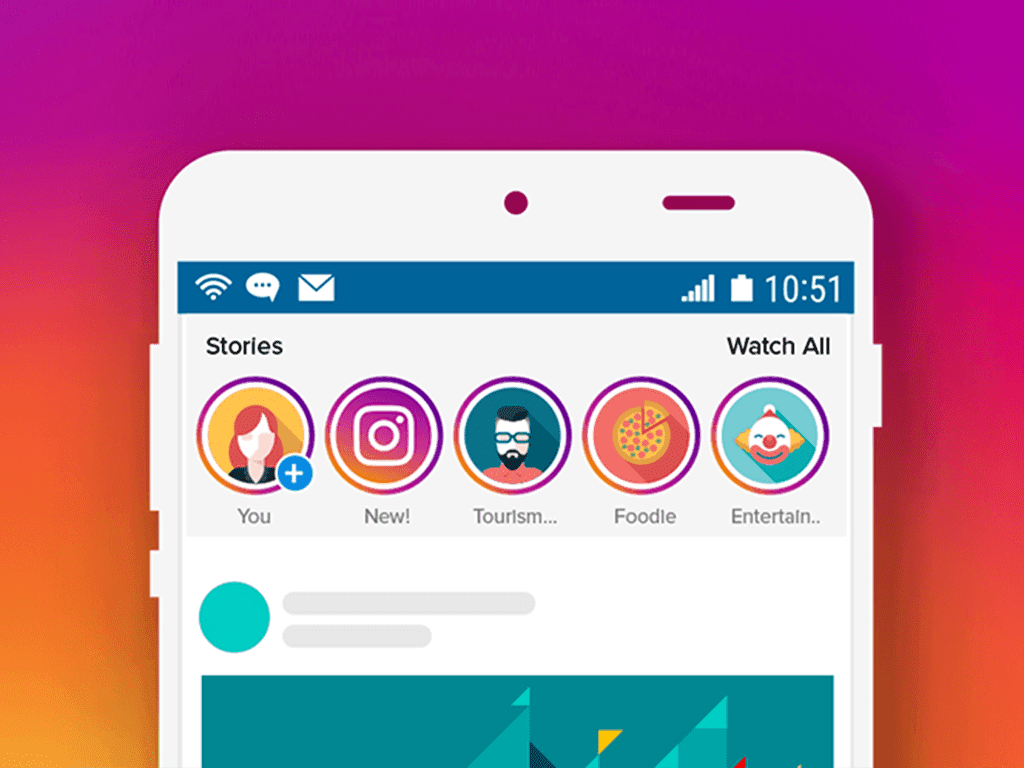
- Check for a colourful ring around a user’s profile photo. A ring indicates that the user has posted a story.
- Tap the user’s profile photo to watch their story. Stories display for 24 hours.
- Swipe left or right to view the next person’s story.
View stories through Instagram search
You can also search for specific users or locations and view their public stories:
- Tap the magnifying glass icon to access Instagram search
- Search for a user or location
- Tap their profile picture or location tag
- Tap the profile picture ring to view their current story
- Swipe to see more public stories from that search
Now that you know how to view stories, let’s create your own!
Creating Your Own Instagram Stories
Posting on your Instagram story is the easiest way to share casual, behind-the-scenes moments without spamming your main feed.
You can capture photos, short videos, and boomerangs, draw, add text and effects, and customise stories to match your brand.
Ready to make your first story? Follow these simple steps:
Access the Instagram Stories camera
- Open the Instagram app
- Tap the camera icon in the top left of your feed or swipe right from your home screen
- The first time, allow access to your phone’s camera and microphone
- Tap any creative tool or capture button to start creating
Take photos and videos for your story
Instagram offers hands-free creation tools so you can easily capture photos, videos and boomerangs:
Live Photo: Enables you to record what happens two seconds before and after you take a photo to create a mini video.
Boomerang: Stitches together a mini video that plays back and forth. Great for capturing something in motion!
Multi-capture: Takes a burst of photos to capture a moment that’s hard to time perfectly.
Video: Record standard videos up to 15 seconds long for your story. You can also go live.
Feel free to mix and match between photos, boomerangs and video clips within your story. Tap the shutter buttons along the bottom to toggle between modes.
Use creative tools and effects
Instagram provides tons of creative effects and interactive tools to make your stories stand out, like:
- Face filters to transform your look
- Time and weather overlays to show current conditions
- Interactive stickers like polls and questions
- Emojis, gifs and #hashtags to customize your story
- Drawing tools to add handwritten text and doodles
- Countdown timer and slider tools
Explore all the creative tools by swiping through the options at the top! The possibilities are endless.

Add text to your Instagram story
No Instagram story is complete without text. To add:
- Tap the text icon from the creative tools menu
- Select a font style, color and background
- Type your custom text
- Resize and reposition the text box anywhere on your story
- Add thoughtful captions, fun details, informative stats and more. Get creative with text to take your Instagram stories to the next level!
Draw on your Instagram story
The drawing tool lets you add handwritten notes, captions, shapes and doodles to your story. To start drawing:
- Tap the drawing icon from the creative tools tray
- Select a drawing color and style
- Freehand draw anywhere on your story
- Erase and redo parts of your drawing as needed
This tool is perfect for pointing out details, explaining graphics, making corrections and more. Doodling by hand makes your stories feel more authentic.
Add filters to your Instagram story
Instagram filters can instantly change the look and feel of your story. Play around with different options:
- B&W filter for classic black and white photos
- Vintage filter for a nostalgic, old-school vibe
- Bright filter to boost contrast and colors
- And lots more to explore!
Swipe horizontally through the filters tool to preview options. Tap a filter to apply it to your entire story.
Include music in your Instagram story

Set the mood with songs and audio clips added seamlessly to your Instagram stories:
- Capture your story photo/video first
- Tap the music note icon to open your audio library
- Browse recommended tracks, saved posts with music or search songs
- Select a song clip to add to your story (Make sure you have rights to use the audio)
- Reposition the song sticker on your story
A mini music video perfect for your Instagram story. Please use audio legally and respect copyrights!
Save photos/videos to your camera roll
Want to keep your story content after it expires? Easily save any story photo or video:
- Tap the more menu (three dots) on your drafted story
- Select “Save”
- Open your phone’s camera roll to see your saved story
- Saved stories will appear in your camera roll with “IG” notation. You can then reuse the content later!
Conclusion
Instagram stories open a creative, visual world for documenting life’s everyday adventures. From viewing friends’ casual stories to crafting engaging stories of your own, embrace this platform within Instagram to foster authentic connections.
Have fun with quick story-creation tools! Show your playful side. Experiment with interactive stickers and effects. Find your niche.
As you become more familiar with stories, leverage insights to target your content strategy. Grow your community by consistently posting value-driven stories. Soon, story telling will feel like second nature.
Want To Learn difference Between Instagram Stories vs. Instagram Highlights