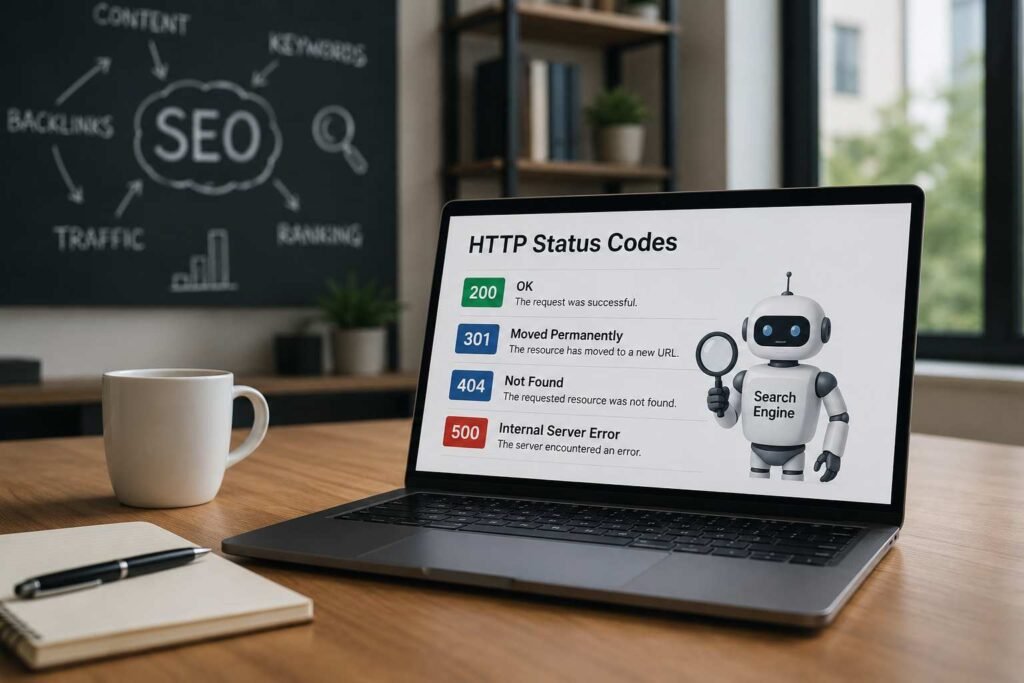
HTTP status codes are critical signals that tell search engines whether a page can be crawled, indexed, redirected, or removed from search results. A 200 OK status enables indexing, while 301 redirects preserve ranking signals when URLs change. Client errors such as 404 Not Found and server errors like 500 Internal Server Error can waste crawl budget, reduce user experience, and negatively impact organic visibility if left unresolved. Regularly monitoring and optimizing status codes helps search engines access important pages efficiently, maintain link equity, and improve overall SEO performance.
Website optimization is not limited to writing compelling copy and acquiring high-authority backlinks. If search engines cannot crawl, understand, and index your website pages, your organic visibility will decline. At Eyes On Solution, we specialize in identifying and resolving the technical bottlenecks that prevent your business from appearing on the first page of search results.
This comprehensive technical guide explains the critical relationship between HTTP status codes and search engine optimization. We explore how browsers, servers, and search engine crawlers interact, why status codes dictate indexing eligibility, and how to optimize your site’s technical infrastructure to protect your crawl budget. By understanding and managing these backend server responses, website owners can improve user experience, preserve link equity, and secure sustainable search rankings.
Every time a user clicks a link or a search engine crawler like Googlebot attempts to access a page on your website, a complex, high-speed communication exchange occurs between the browser (or crawler) and your web hosting server. This exchange is governed by the Hypertext Transfer Protocol (HTTP). The server responds to each request with a three-digit numeric code: the HTTP status code.
| Step | Action | Example |
| 1 | User Browser / Googlebot Crawler sends an HTTP request to the server | GET /seo-company-dubai/ |
| 2 | Web Server processes the request, checks files, database, permissions, and routing | Server evaluates how to handle the request |
| 3 | Web Server returns an HTTP response to the browser or crawler | 200 OK + HTML, 301 Redirect, or 404 Not Found |
| 4 | User Browser / Googlebot Crawler receives and interprets the response | Page loads, redirects, or displays an error page |
These status codes act as the universal traffic signals of the internet. They inform the requesting client whether the request was successful, where the requested page is located, or if an error occurred on either the client or server side.
How Do Browsers, Servers, and Search Engine Crawlers Communicate?
When a request is initiated, the server processes the command and returns the appropriate HTTP status code alongside the requested resource (such as HTML, CSS, JavaScript, or image files) if the request is successful.
- The Client Request: Googlebot or a user’s browser requests a specific URL, such as https://eyesonsolution.com/seo-company-dubai/.
- The Server Evaluation: The web server receives the request, evaluates the URL path, checks database availability, checks file permissions, and determines the status of the resource.
- The Status Code Response: Before sending the actual page content, the server sends an HTTP header containing the three-digit status code.
- The Client Action: If the code is 200 OK, the browser renders the page, and Googlebot prepares the content for indexing. If the code is a redirect (e.g., 301 Moved Permanently), the client immediately initiates a new request to the new URL destination. If it is an error (e.g., 404 Not Found or 500 Internal Server Error), the process stops or displays an error message.
Why Do Search Engines Base Crawling and Indexing Decisions on These Codes?
Search engines do not have infinite resources. To index billions of web pages daily, they must operate with maximum efficiency. Status codes provide crawlers with instant, programmatic instructions on how to handle each URL without needing to parse the entire page’s HTML. This directly influences search engine decisions in four key areas:
- Crawling Decisions: Crawlers use status codes to determine how frequently they should visit a URL. A stable 200 OK page is crawled regularly, while a 503 Service Unavailable response tells the crawler to come back later.
- Indexing Eligibility: Only pages that return a successful 200 OK status code are eligible to be indexed and displayed in search results. Pages returning error codes (4xx, 5xx) are systematically removed from the search index to prevent users from encountering broken links.
- Link Equity Distribution: Redirect status codes (specifically 301 Moved Permanently) instruct search engines to transfer ranking power, historical authority, and trust (link equity) from an old URL to a new one.
- Crawl Budget Management: Googlebot allocates a specific “crawl budget” (the number of URLs it will crawl on a site within a given timeframe) to every website. Encountering redirect loops, broken links (404s), or server errors (5xx) wastes this budget, leaving your high-priority, revenue-generating pages uncrawled and unindexed.
What Are the Five Main Categories of HTTP Status Codes and What Do They Mean for Website Owners?
HTTP status codes are categorized into five distinct blocks based on their leading digit. Understanding these broad classes helps website owners quickly diagnose the health of their digital assets.
| Status Code Class | Classification | General Meaning | Direct SEO Impact | Recommended Action |
|---|---|---|---|---|
| 1xx | Informational | The server has received the request and is continuing the process. | None. These codes are not crawled or indexed by search engines. | No action required; these are intermediate backend protocols. |
| 2xx | Success | The request was successfully received, understood, and accepted by the server. | Highly Positive. This is the only class of status codes that allows a page to be indexed and ranked. | Ensure all primary, high-value service and blog pages return a clean 200 OK status. |
| 3xx | Redirection | Further action must be taken by the client to complete the request. | Neutral to Positive. Essential for website migrations, consolidating content, and managing URL changes. | Use 301 redirects for permanent moves to preserve link equity; limit the use of temporary 302 redirects. |
| 4xx | Client Error | The request contains bad syntax or cannot be fulfilled, often because the resource is missing. | Negative. Broken links hurt user experience, waste crawl budget, and can lead to index removal. | Regularly audit your site to identify 404 errors. Use 301 redirects for valuable pages or let outdated pages return 410 Gone. |
| 5xx | Server Error | The server failed to fulfill an apparently valid request due to an internal issue. | Severely Negative. Frequent server errors cause immediate drops in search visibility and index removal. | Work with your hosting provider or technical SEO partner to resolve database, configuration, or resource limits immediately. |
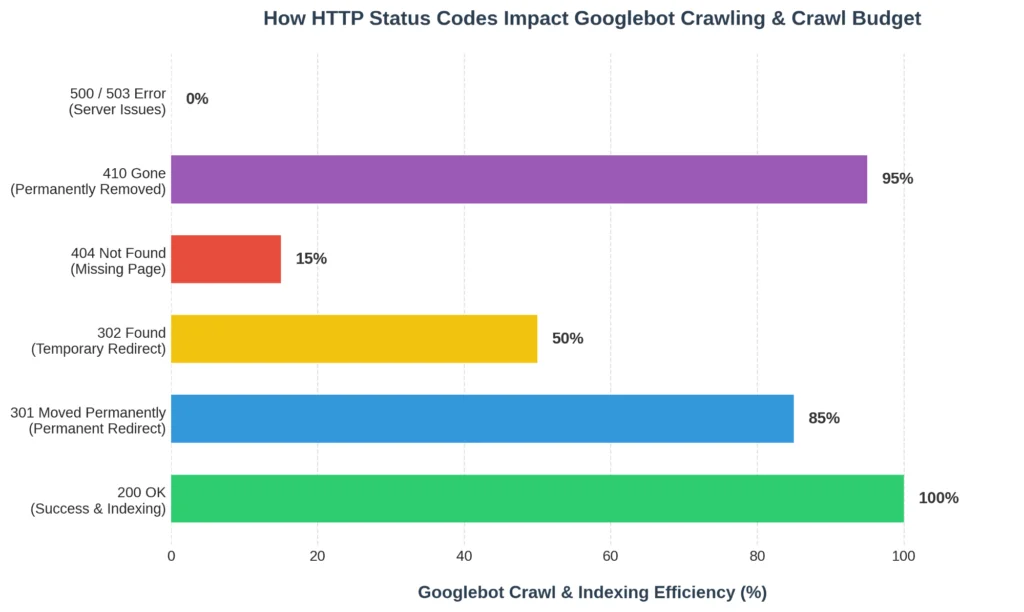
Figure 1: Relative Googlebot crawl and indexing efficiency by HTTP status code class. A 200 OK response enables 100% crawl efficiency, while 5xx server errors bring crawling to a complete halt.
How Do 2xx Status Codes Impact Your Website’s Indexability and Rankings?
The 200 OK status code is the foundation of a successful website. It signals to search engine crawlers and human visitors that the requested page is fully functional, accessible, and ready to be consumed.
[Googlebot] ► (Requests Page) ► [Web Server] ► (Returns 200 OK + Full HTML) ► [Google Index]
Why is the 200 OK Status Code the Gold Standard for Indexing?

When a server returns a 200 OK response, it grants Googlebot full permission to parse the page’s HTML, evaluate its content, assess mobile usability, analyze internal linking structures, and add the URL to the search index. Without a 200 OK response, your content cannot rank on search engines or be surfaced by LLM-driven search agents.
At Eyes On Solution, our technical SEO audits begin by verifying that all your core service pages, such as our Technical SEO Services and Content Writing Services, return a clean 200 OK status. This guarantees that search engines can seamlessly crawl and rank our clients’ most valuable assets.
What Common Problems Occur with 200 OK Pages and How Can Website Owners Fix Them?
While a 200 OK response is generally positive, website owners often face hidden issues where pages return a successful status code but deliver low-quality or incorrect content. This wastes the crawl budget and hurts search performance.
Thin and Duplicate Content
When a website has hundreds of pages with little to no unique content (thin content) or pages that replicate content found elsewhere on the site (duplicate content), search engines may crawl these pages but refuse to rank them. This dilutes your website’s overall authority.
- The Fix: Consolidate thin pages into comprehensive, high-value guides. Use canonical tags (rel=”canonical”) to point duplicate URLs to the single, authoritative version of the page.
The Danger of Soft 404 Errors
A Soft 404 is a critical technical error. It occurs when a web page does not exist, but your server incorrectly returns a successful 200 OK status code instead of a proper 404 Not Found response. To a search engine, this looks like a blank, broken, or thin page that is requesting to be indexed.
User/Crawler Requests: /non-existent-page/
Incorrect Server Behavior: Returns 200 OK (renders “Page Not Found” text) > Soft 404 (Wastes Crawl Budget)
Correct Server Behavior: Returns 404 Not Found (Server tells crawler page does not exist) > Proper Handling
This issue severely wastes the crawl budget because Googlebot continues to crawl and analyze pages that have no value. It also degrades user experience, as visitors are presented with a broken page that appears to be functional.
How to Fix Soft 404 Errors
To resolve Soft 404 errors and improve your website’s technical health, follow this action plan:
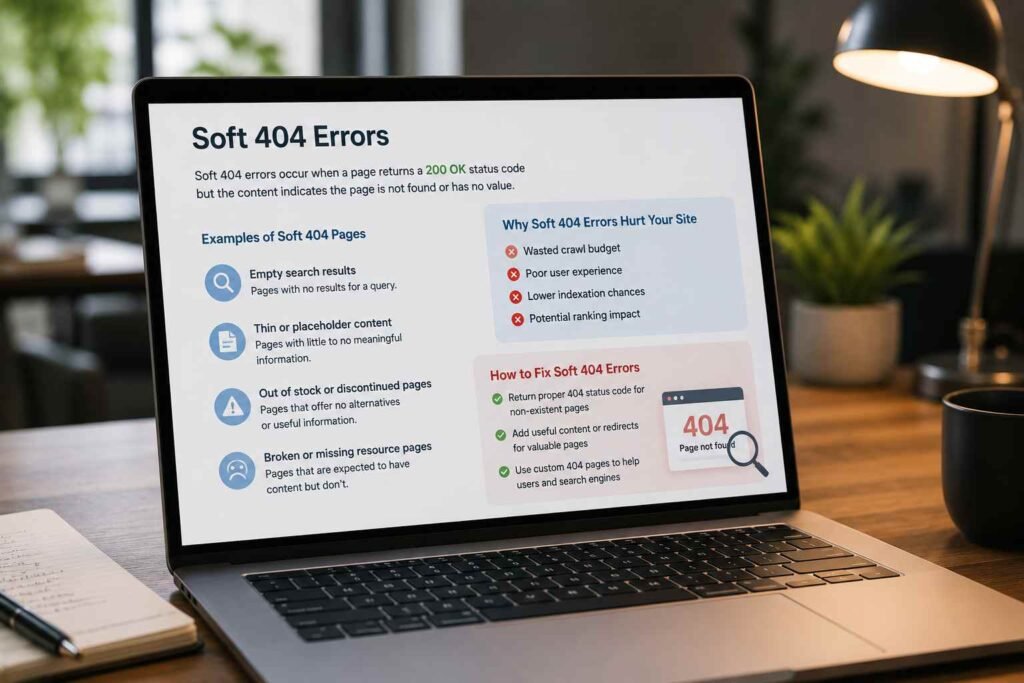
- Configure Proper Server Responses: Ensure your web server is configured to return a true 404 Not Found or 410 Gone HTTP status code whenever a non-existent URL is requested.
- Implement Strategic 301 Redirects: If the missing page has historical value, high-quality backlinks, or consistent organic traffic, do not let it return a 404. Instead, implement a permanent 301 redirect to the most relevant active page on your site.
- Enhance Content Quality: If a page is flagged as a Soft 404 but is actually a valid page, the issue is likely due to thin content. Improve the page by adding unique, high-quality text, structured data, and helpful information to signal its value to search engines.
How Should Website Owners Use 3xx Redirection Codes to Preserve Search Authority?
Redirects are essential for maintaining search visibility when updating your website’s structure, migrating to a new domain, or consolidating outdated content. However, mismanaging redirects can quickly damage your search rankings.
What is the Difference Between 301 and 302 Redirects?
The choice between a permanent 301 redirect and a temporary 302 redirect has a significant impact on how search engines handle your website’s ranking power.
[301 Permanent Redirect]: Old URL (100% Authority) ► New URL (Receives 95-99% Authority & Ranks)
[302 Temporary Redirect]: Old URL (Retains Authority) ► New URL (Temporary view, does not rank long-term)
301 Moved Permanently
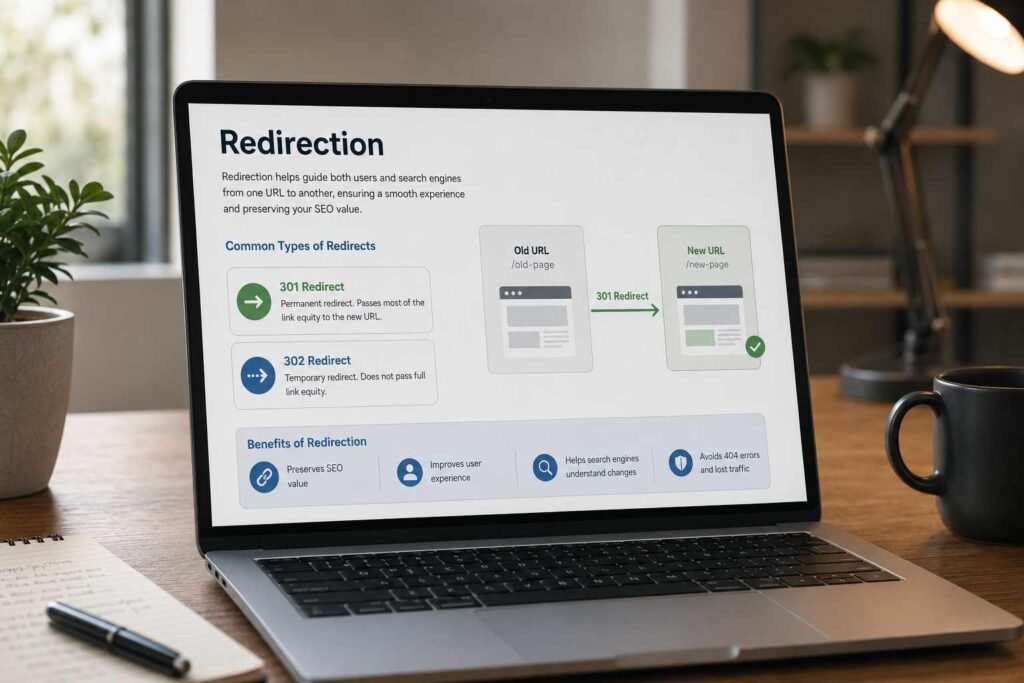
A 301 redirect tells search engine crawlers that the requested page has permanently moved to a new URL. This is the most SEO-friendly redirect because it instructs search engines to transfer between 95% to 99% of the original page’s link authority (PageRank) to the new destination URL.
- When to Use:
- Permanent URL structure changes (e.g., changing /our-services/ to /services/).
- Website migrations (e.g., moving from an old domain to a new one).
- Consolidating multiple duplicate or thin pages into a single authoritative guide.
- Migrating from HTTP to HTTPS to secure user data.
302 Found (Temporary Redirect)
A 302 redirect indicates that the requested page has temporarily moved to a different URL, but will eventually return to the original location. Because this move is temporary, search engines do not transfer link authority to the new URL. Instead, they keep the original URL indexed and crawl the temporary destination.
- When to Use:
- A temporary promotional campaign or seasonal offer page.
- Running A/B split tests on specific landing pages.
- Redirecting users to a localized page based on their geographical location (temporarily).
- When performing brief page maintenance (though a 503 is preferred for site-wide maintenance).
SEO Risks of Misusing 302 Redirects
If you use a 302 redirect for a permanent change, search engines will continue to index the old, outdated URL. The new page will struggle to rank because it is not receiving any of the historical link authority or trust from the original page. Over time, if a 302 redirect remains active for too long, search engines may treat it as a 301 redirect, but this behavior is inconsistent and should not be relied upon.
What are the Modern Redirect Standards: 307 vs 308 Status Codes?
With the development of HTTP/1.1 and HTTP/2, modern web standards introduced two additional redirection codes: 307 Temporary Redirect and 308 Permanent Redirect.
| Status Code | Type | Protocol | Key Technical Distinction | SEO Best Practice |
|---|---|---|---|---|
| 301 | Permanent | HTTP/1.0 | Allows the browser to change the request method from POST to GET during redirection. | Use as the default redirect for permanent URL changes and site migrations. |
| 302 | Temporary | HTTP/1.0 | Allows the browser to change the request method from POST to GET. | Use for short-term, temporary page movements. |
| 307 | Temporary | HTTP/1.1 | Guarantees that the request method (e.g., POST or GET) cannot be changed by the browser. | Used automatically by modern web servers and browsers during HTTPS enforcement (HSTS). |
| 308 | Permanent | HTTP/1.1 | Guarantees that the request method (e.g., POST or GET) cannot be changed by the browser. | Excellent for modern web applications and APIs that require secure, permanent redirects without changing request data. |
For most content-driven websites and service providers in Dubai, the traditional 301 Moved Permanently redirect remains the safest and most reliable method for preserving search authority and organic traffic.
What Common Redirect Mistakes Hurt Your Website’s Crawl Efficiency?
Improperly configured redirects can create technical loops that exhaust your crawl budget and frustrate users.
1. Redirect Chains
A redirect chain occurs when a crawler or browser must go through multiple redirects to reach the final destination page.
[Old URL] ► (Redirects to) ► [Intermediate URL 1] ► (Redirects to) ► [Final Destination URL]
- Why It Hurts SEO: Every step in a redirect chain requires an additional server request. This slows down page load times, increases server load, and drains your crawl budget. Furthermore, Googlebot may stop following redirects after 4 or 5 hops, leaving the final page uncrawled.
- How to Fix It: Map your redirects directly from the original source URL to the final destination URL. Eliminate all intermediate steps.
2. Redirect Loops
A redirect loop occurs when two or more URLs continuously redirect to one another, creating an infinite loop that crashes the browser.
[URL A] ► (Redirects to) ► [URL B] ► (Redirects to) ► [URL A] … (Infinite Loop)
- Why It Hurts SEO: Search engine crawlers will get stuck in the loop, exhaust their resources, and fail to crawl the rest of your site. This can lead to the affected pages being dropped from search results.
- How to Fix It: Audit your server’s redirection rules (such as .htaccess or web server config files) to identify and remove conflicting redirect commands.
3. Redirecting All Broken Pages to the Homepage
When performing a site redesign or deleting old pages, some website owners redirect all missing URLs directly to their homepage.
- Why Google Discourages This: Google treats bulk homepage redirects as Soft 404 errors. It confuses users who expect specific content but are redirected to the homepage instead. This degrades user experience and does not preserve link equity.
- The Better Alternative: Only redirect a deleted page if there is a highly relevant, closely related page on your website. If no such page exists, let the URL return a clean 404 Not Found or 410 Gone status code.
How Do 4xx Client Errors Impact User Experience and Organic Search Performance?
The 4xx class of status codes indicates that a client-side error has occurred. This usually means the browser or crawler has requested a page that does not exist, is restricted, or requires authentication.
[Googlebot] ► (Requests Missing Page) ► [Web Server] ► (Returns 404 Not Found) ► [Crawl Stops]
Why Do 404 Not Found Errors Occur and Are They Bad for SEO?
A 404 Not Found status code indicates that the server cannot find the requested URL. This typically happens when a page has been deleted, a URL structure has changed without a redirect, or a user has mistyped the address.
Are 404 Errors Bad for SEO?
According to search engine guidelines, occasional 404 errors are a normal part of running a website and will not cause site-wide ranking penalties. However, they become a major SEO problem in the following scenarios:
- Internal Broken Links: If your website contains internal links pointing to 404 pages, you are sending users and crawlers to dead ends. This wastes crawl budget and frustrates visitors, leading to higher bounce rates.
- Valuable Backlinks Pointing to Missing Pages: If other high-authority websites link to a page on your site that now returns a 404, that valuable link equity is completely wasted.
- Large-Scale Deletions: Deleting hundreds of pages at once without implementing proper redirects can cause search engine crawlers to flag your site for technical instability, potentially leading to drops in overall search visibility.
How to Find and Fix 404 Errors
To identify and resolve broken links on your website, use the following tools and methods:
- Google Search Console: Navigate to the “Indexing” report to view a list of all URLs returning a 404 error to Googlebot.
- Screaming Frog SEO Spider: Run a crawl of your website to identify internal broken links and their exact source pages.
- Server Log Analysis: Review your raw server logs to see which non-existent URLs are being requested most frequently by users and crawlers.
Once identified, apply the appropriate fix:
- Restore the Page: If the page was deleted accidentally, restore the content to its original URL.
- Implement a 301 Redirect: If the page has been permanently replaced, implement a 301 redirect to the new version.
- Update Internal Links: If you have intentionally deleted a page and do not want to redirect it, update all internal links on your site to remove references to the deleted URL.
When Does a 406 Not Acceptable Error Block Your Content From Being Indexed?
A 406 Not Acceptable status code is one of the more technically nuanced 4xx client errors, yet it is frequently overlooked during routine technical SEO audits. It occurs when a client, whether a user’s browser or a search engine crawler like Googlebot, sends an HTTP request that includes specific Accept headers defining the format, language, or encoding it expects in the response. If the server is unable to produce a response that matches any of those acceptable values, it returns a 406 Not Acceptable error rather than serving the content.
To understand this clearly, consider how HTTP content negotiation works. When a browser or crawler requests a page, it sends a set of Accept headers alongside the request. These headers communicate the content types it can process, such as text/html or application/json, the languages it prefers, and the character encodings it supports. The server then evaluates these preferences and attempts to match them against the formats it can serve. If no match is found, the server refuses to respond with any content and returns a 406 error instead.
(Requests page with Accept: text/html) ► [Web Server] ► (Cannot serve text/html) ► (Returns 406 Not Acceptable) ► [Page Not Indexed]
What Causes a 406 Not Acceptable Error?
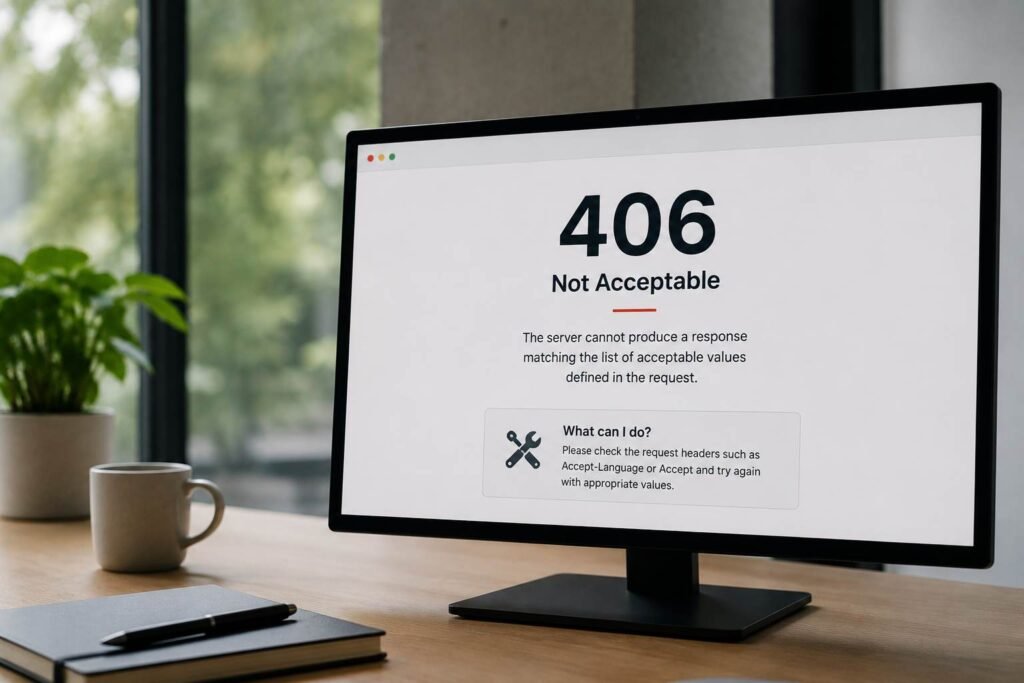
This error most commonly arises from misconfigurations at the application or server level rather than from missing content. The following scenarios are the most frequent triggers:
Overly Restrictive Server Configuration: A web server or application framework configured to serve content exclusively in a specific format (such as application/json for an API endpoint) will return a 406 error if a client requests text/html. This is particularly common on websites that have been partially migrated to API-driven architectures without updating their content negotiation rules.
Language or Encoding Conflicts: If a server is configured to serve content only in a specific language or character encoding, and the client’s Accept-Language or Accept-Charset headers do not include that option, a 406 response can be triggered. This is especially relevant for multilingual websites that serve region-specific content.
Misconfigured CMS or Plugin Settings: On CMS platforms such as WordPress, certain security plugins or caching configurations can inadvertently introduce strict content-type rules that conflict with how crawlers and browsers send their requests, resulting in unexpected 406 responses on otherwise valid pages.
How Does a 406 Error Impact SEO?
| Factor | Impact |
| Indexability | Pages returning a 406 cannot be indexed by search engines |
| Crawl Budget | Repeated 406 responses waste crawl budget on inaccessible URLs |
| User Experience | Visitors receive an error page instead of the requested content |
| Link Equity | Backlinks pointing to a 406 URL deliver no ranking benefit |
While a 406 error does not carry the same immediate severity as a 500 Internal Server Error, its SEO consequences are significant. Googlebot cannot parse or index a page that returns a 406 response. If core service pages, blog posts, or landing pages are affected, they will be excluded from search results entirely. Furthermore, because the error is rooted in a server-side misconfiguration rather than missing content, it can persist undetected for extended periods, quietly removing valuable pages from the search index without triggering obvious user-facing alerts.
How to Diagnose and Fix a 406 Not Acceptable Error
To identify and resolve 406 errors on your website, follow this structured approach:
Audit with Google Search Console and Screaming Frog: Run a full site crawl to identify any URLs returning a 406 status code. In Google Search Console, check the “Page Indexing” report for any pages flagged as having server errors or unusual response codes.
Inspect Your Server’s Content Negotiation Rules: Review your web server configuration files (such as .htaccess for Apache or the nginx.conf file for Nginx) to identify any directives that restrict the content types your server will serve. Ensure that text/html is included as an accepted response format for all public-facing pages.
Review Application-Level Logic: If your website is built on a modern framework (such as Laravel, Django, or Express.js), check your application’s response handlers to ensure they do not enforce strict content-type requirements on pages intended for general web traffic.
Test with HTTP Header Inspection Tools: Use tools such as browser developer tools (Network tab), Postman, or online HTTP header checkers to manually send requests with standard Accept: text/html headers and verify that your server responds with a 200 OK rather than a 406 error.
Ensure Crawler-Friendly Defaults: Configure your server to default to serving text/html when no specific Accept header is provided or when the requested format cannot be determined. This ensures that search engine crawlers, which may not always send explicit Accept headers, can always access your content.
When and Why Should You Use a 410 Gone Status Code?
While a 404 indicates that a page is “not found,” a 410 Gone status code explicitly states that the page has been permanently removed and will never return.
[404 Not Found]: Server says “I can’t find this page, but I’ll check again next time.” (Slower removal from index)
[410 Gone]: Server says “This page is permanently gone. Do not return.” (Immediate removal from index)
410 vs 404: The SEO Difference
When Googlebot encounters a 404 Not Found code, it will often return to crawl that URL several more times over the following weeks to confirm the page is truly gone before removing it from the index.
When Googlebot encounters a 410 Gone code, it immediately recognizes that the removal is permanent. It will remove the URL from the search index much faster and significantly reduce how often it recrawls that path, preserving your crawl budget.
When to Use 410 Status Codes
- Permanently retiring outdated services or products that will not be replaced.
- Quickly removing low-quality, thin, or auto-generated pages from search results.
- Cleaning up hacked pages or spam URLs after securing a compromised website.
What Other 4xx Client Errors Impact Search Crawlers?
While 404 and 410 codes are the most common client-side errors, several other 4xx status codes can block search engine crawlers and hurt your visibility.
403 Forbidden
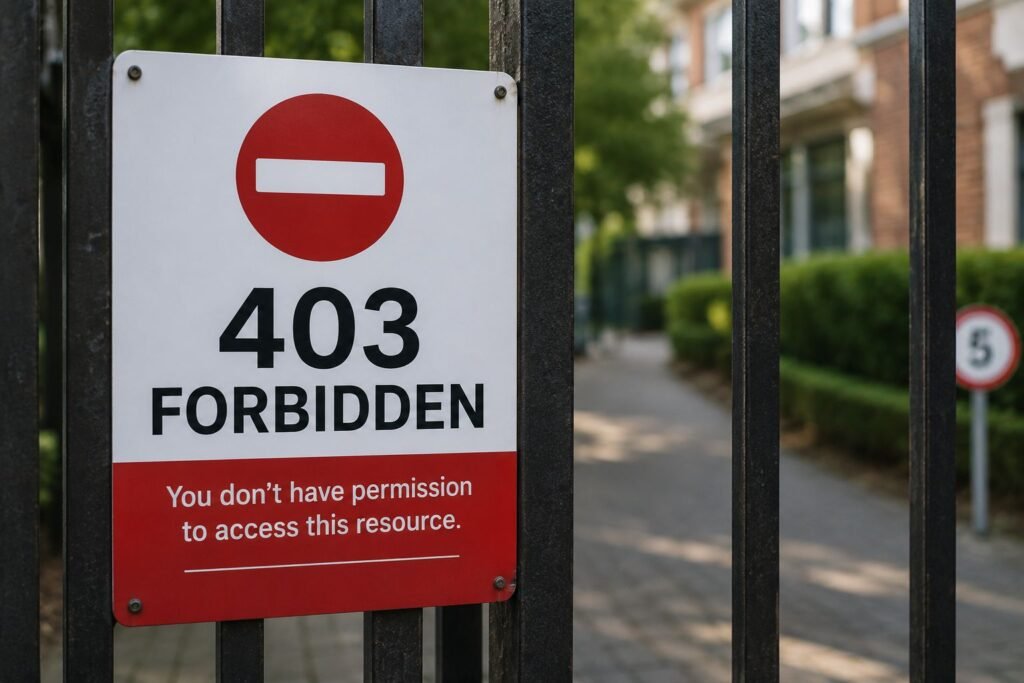
A 403 Forbidden status code means the server understands the request but refuses to authorize access. This often happens due to misconfigured file permissions, firewall restrictions, or security plugin conflicts that block IP addresses.
- SEO Impact: If your server returns a 403 error to Googlebot, search engines cannot access or index your content. If this error persists on core pages, they will be dropped from search results.
- How to Fix: Check your server’s .htaccess file, review security plugin settings, and ensure your Content Delivery Network or firewall is not accidentally blocking search engine crawler IP addresses.
401 Unauthorized
A 401 Unauthorized status code indicates that the requested page requires user authentication, such as a username and password.
- SEO Impact: Googlebot cannot bypass login walls. Any page returning a 401 response will be excluded from search results. Ensure that public-facing pages do not require authentication.
429 Too Many Requests
A 429 Too Many Requests status code is a rate-limiting response. It indicates that the client has sent too many requests in a given timeframe.
- SEO Impact: If your server rate-limits search engine crawlers, they will stop crawling your site to avoid overloading the server. This can prevent new content from being indexed and cause existing rankings to drop.
- How to Fix: Optimize your server’s rate-limiting configurations, implement caching to reduce server load, and ensure your hosting plan has sufficient resources to handle crawler traffic.
Why Are 5xx Server Errors the Most Dangerous Issues for Your SEO Rankings?
The 5xx class of status codes indicates that a server-side error has occurred. These are the most dangerous issues for your website’s search performance because they signal to search engines that your website’s infrastructure is unstable or broken.
[Googlebot] ► (Requests Page) ► [Web Server] ► (Server Crashes / Returns 500 Error) ► [Rankings Drop]
How Do Server Errors Affect Crawling, Indexing, and Search Visibility?
When search engine crawlers encounter frequent 5xx errors, they immediately slow down their crawl rate to prevent crashing your server. If these errors persist for more than a few days, search engines will begin removing the affected pages from the search index to protect users from landing on broken pages. This can lead to a sudden and severe drop in organic traffic.
At Eyes On Solution, our technical SEO team monitors server performance closely. We use advanced diagnostic tools to identify and resolve server-side bottlenecks, ensuring our clients’ websites remain stable, fast, and accessible to both users and search engines.
What are the Most Common 5xx Errors and How Do You Fix Them?
Understanding the specific causes of server-side errors is crucial for keeping your website online and maintaining your search rankings.
1. 500 Internal Server Error
The 500 Internal Server Error is a general error message indicating that the server encountered an unexpected condition that prevented it from fulfilling the request.
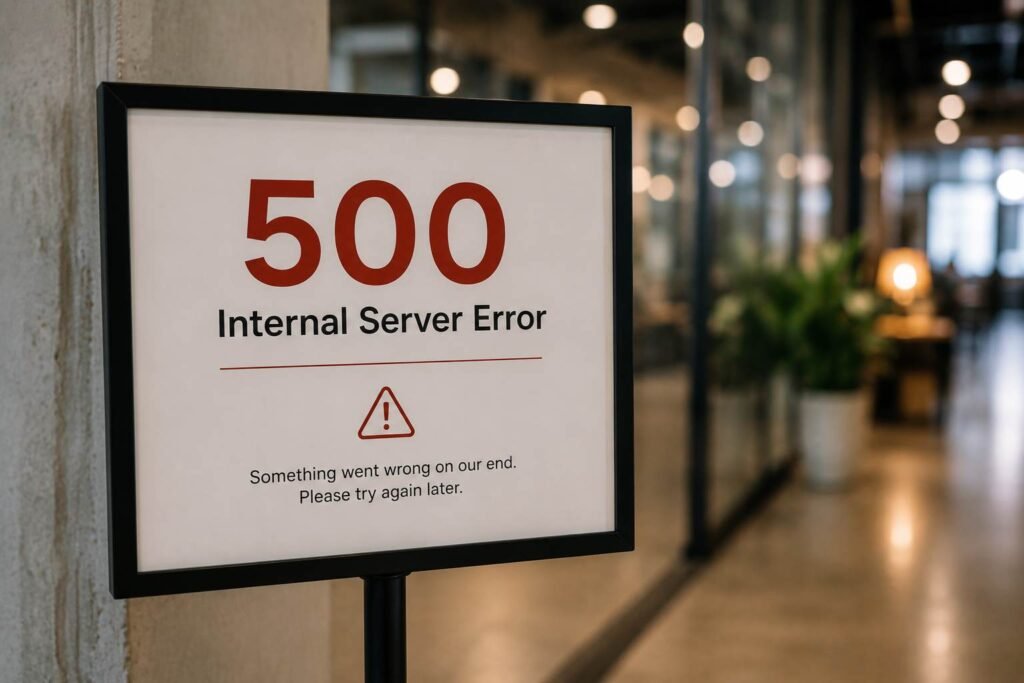
Common Causes:
- Corrupted .htaccess configuration files.
- PHP memory limit exhaustion.
- Incompatible plugins or themes (especially on CMS platforms like WordPress).
- Corrupted database files.
How to Fix It:
- Review Server Error Logs: Check your server’s error logs to identify the exact file or script causing the crash.
- Increase PHP Memory Limit: Edit your wp-config.php or php.ini file to allocate more memory to your scripts.
- Troubleshoot Plugins: Deactivate recently installed or updated plugins to check for conflicts.
- Verify File Permissions: Ensure your server’s files and folders have the correct permission settings (typically 755 for directories and 644 for files).
2. 502 Bad Gateway
A 502 Bad Gateway error occurs when one server on the internet receives an invalid response from another server it is communicating with. This often happens on sites that use a reverse proxy or CDN (like Cloudflare) in front of their main hosting server.
- Common Causes:
- The upstream hosting server is overloaded or down.
- Misconfigured proxy settings.
- Firewall blocks preventing communication between servers.
- How to Fix It:
- Check Upstream Server Health: Verify that your primary hosting server is online and responding.
- Audit CDN and Proxy Configurations: Ensure your CDN is correctly mapped to your hosting server’s IP address.
- Clear Server Caches: Clear your web server and proxy caches to resolve temporary communication glitches.
3. 503 Service Unavailable
A 503 Service Unavailable status code indicates that the server is temporarily unable to handle the request. This is usually due to temporary maintenance or server overloading.
Standard 500 Error: Server is broken > Search engines drop rankings quickly.
Proper 503 Maintenance: Server is temporarily offline with a Retry-After header > Search engines preserve rankings.
- Why It Can Be Good for SEO: When performing scheduled website updates, returning a 503 status code along with a Retry-After header tells search engine crawlers that the site is temporarily down for maintenance and will be back online shortly. This prevents crawlers from indexing broken pages or dropping your rankings during updates.
- How to Configure It Correctly:
- Ensure your server returns a true 503 status code during maintenance windows, rather than a 200 OK or 500 error.
- Include a Retry-After HTTP header specifying the estimated duration of the maintenance (e.g., in seconds or as a specific HTTP-date).
4. 504 Gateway Timeout
A 504 Gateway Timeout error indicates that a server acting as a gateway or proxy did not receive a timely response from the upstream server to complete the request.
Common Causes:
- Slow database queries taking too long to execute.
- Server resource exhaustion (CPU or RAM spikes).
- External API calls timing out.
How to Fix It:
- Optimize Database Queries: Identify and optimize slow database queries to reduce execution times.
- Upgrade Hosting Resources: If your website regularly experiences traffic spikes, consider upgrading to a dedicated server or VPS with more resources.
- Implement Server-Side Caching: Use advanced caching solutions to reduce the number of direct requests to your database.
How to Conduct a Professional HTTP Status Code Audit Across Your Website
Regularly auditing your website’s HTTP status codes is essential for identifying hidden errors, preserving your crawl budget, and maintaining high search rankings.
Audit Process: Use Screaming Frog / GSC ► Export Status Code Report ► Categorize (3xx, 4xx, 5xx) ► Apply Technical Fixes
What Tools Should You Use to Audit Status Codes?
To perform a comprehensive technical SEO audit, we recommend using a combination of the following industry-standard tools:
- Google Search Console: The “Indexing” and “Page indexing” reports provide direct insights into how Googlebot perceives your website’s status codes, highlighting any 404 or 5xx errors it encounters.
- Screaming Frog SEO Spider: This powerful desktop crawler allows you to crawl your entire website and export a detailed list of all URLs, their corresponding HTTP status codes, and any redirect chains or loops.
- Sitebulb: A comprehensive technical SEO auditing tool that provides visual representations of your site’s redirection paths and crawl health.
- Ahrefs & Semrush Site Audit: Cloud-based auditing tools that automatically crawl your site on a scheduled basis, flagging new broken links, redirect issues, and server errors.
- Server Log Analyzers: Tools like Loggly or Kibana allow you to analyze raw server logs to see how search engine crawlers and users interact with your site in real-time.
How to Create a Status Code Action Plan
Once you have gathered your audit data, prioritize your technical fixes based on their severity and impact on your search performance.

Phase 1: High Priority (Fix Immediately)
These issues cause immediate drops in search visibility and must be resolved as soon as they are identified:
- 5xx Server Errors: Investigate hosting stability, database performance, and plugin conflicts to resolve any server-side crashes.
- Redirect Loops: Break infinite loops in your server configuration to allow crawlers and users to access your pages.
- Broken Core Pages (404s): Implement 301 redirects for high-value service pages, blog posts, or landing pages that are currently returning a 404 error.
Phase 2: Medium Priority (Monitor and Optimize)
These issues affect crawl efficiency and user experience, and should be addressed regularly:
- Redirect Chains: Consolidate multi-hop redirects into single-step redirects to preserve crawl budget and improve page speed.
- Accidental 302 Redirects: Review active temporary redirects and update them to permanent 301 redirects if the changes are permanent.
- Soft 404 Errors: Fix pages that return a 200 OK status but display thin content or “page not found” messages.
Phase 3: Low Priority (Regular Maintenance)
These issues require periodic monitoring but do not pose an immediate threat to your rankings:
- Intentional 404/410 Pages: If you have deleted outdated content that has no traffic or backlinks, letting it return a 404 or 410 is perfectly normal and does not require a redirect.
- Archived Content: Monitor old blog posts or archived pages to ensure they continue to return a clean 200 OK status.
How Do HTTP Status Codes Impact Website Migrations and URL Restructuring?
Migrating a website to a new domain, changing your CMS, or restructuring your URL pathways are complex technical operations. Without careful planning and execution, these changes can lead to severe drops in search rankings and organic traffic.
Migration Map: Old URL (e.g., /old-path/) ► Map to ► New URL (e.g., /new-path/) ► Implement 301 Redirect
Why Do Migrations Often Create Status Code Problems?
During a website migration, existing URLs are often changed, replaced, or deleted. If these changes are not mapped correctly, search engines will encounter broken links and lose track of your site’s historical authority. Common causes of migration failures include:
- Missing Redirects: Failing to redirect old URLs to their new destinations, resulting in a sudden spike in 404 errors.
- Incorrect Redirect Types: Using temporary 302 redirects instead of permanent 301 redirects, which prevents link authority from transferring to the new site.
- Redirection Loops: Conflicting redirection rules that trap crawlers and users in infinite loops.
The Ultimate Website Migration Technical Checklist
To ensure a smooth, error-free website migration that preserves your search authority, follow this step-by-step checklist:
1. Map Old URLs to New URLs
Before making any changes, export a complete list of your website’s active URLs. Map each old URL to its corresponding new destination URL in a spreadsheet.
2. Implement 301 Redirects
Configure your web server to permanently redirect (301) every old URL to its new mapped destination. Ensure that redirects are applied at the server level (e.g., via .htaccess or Nginx configuration) for maximum speed and efficiency.
3. Test Redirects and Validate Status Codes
Run a test crawl of your old URLs using Screaming Frog to verify that they are redirecting correctly and returning a clean 301 status code, and that the destination URLs return a successful 200 OK status.
4. Monitor Google Search Console
After launching the migration, monitor Google Search Console closely to track crawl behavior, indexing status, and any new 404 or redirect errors that may arise.
How Do HTTP Status Codes Affect Google’s Crawl Efficiency and Your Crawl Budget?
For large websites, e-commerce platforms, and active publishers, managing your crawl budget is a critical factor in technical SEO success.
Crawl Budget Allocation:
- Core 200 OK Pages (Efficiently Crawled & Indexed)
- Wasted Budget (Redirect Chains, 404s, 5xx Errors, Duplicate Content)
What is the Crawl Budget and Why Does It Matter?
Crawl budget is the number of pages Googlebot crawls on your website within a given timeframe. If your site has more pages than its allocated crawl budget, some of your content will go uncrawled, unindexed, and invisible in search results.
HTTP status codes directly impact crawl efficiency. When Googlebot encounters redirect chains, broken links, or server errors, it wastes valuable time and resources processing useless requests. This leaves less budget available to crawl your high-priority, revenue-generating pages.
Best Practices for Optimizing Crawl Budget on Large Websites
To maximize crawl efficiency and ensure your important content is indexed quickly, follow these best practices:
- Eliminate Redundant Redirects: Keep redirection paths as short and clean as possible. Avoid redirect chains and loops.
- Fix Broken Links (404s): Regularly audit your site to identify and resolve internal broken links, ensuring crawlers do not waste budget on dead ends.
- Use 410 Gone for Deleted Content: Use 410 Gone instead of 404 Not Found to quickly remove permanently deleted pages from the search index and reduce recrawling frequency.
- Ensure Fast Server Response Times: A fast, responsive server allows Googlebot to crawl more pages in less time, naturally expanding your crawl budget.
HTTP Status Code SEO Quick Reference Guide
Keep this handy reference guide nearby to quickly assess the SEO impact and recommended actions for the most common HTTP status codes.
| Status Code | Code Name | SEO Impact | Recommended Action |
|---|---|---|---|
| 200 | OK | Positive | Keep the page optimized, fast, and secure. Ensure core service pages return this status. |
| 301 | Moved Permanently | Positive | Use for all permanent URL changes, domain migrations, and HTTPS enforcement. |
| 302 | Found (Temporary) | Neutral | Use only for short-term, temporary page movements. Avoid using it for permanent changes. |
| 307 | Temporary Redirect | Neutral | Modern protocol equivalent to 302. Use for temporary redirects in modern web apps. |
| 308 | Permanent Redirect | Positive | Modern protocol equivalent to 301. Use for permanent redirects in modern web apps. |
| 404 | Not Found | Negative | Redirect to a relevant page if the URL has traffic or backlinks; otherwise, let it return a clean 404. |
| 406 | Not Acceptable | Negative | The HTTP 406 Not Acceptable status code occurs when a server cannot provide content in any of the formats requested by the client through content negotiation headers, such as Accept, Accept Language, or Accept Encoding. |
| 410 | Gone | Positive for deletions | Used to permanently remove deleted pages from the search index quickly, preserving crawl budget. |
| 403 | Forbidden | Negative | Fix server permissions, firewall blocks, or CDN settings to allow crawler access. |
| 429 | Too Many Requests | Negative | Adjust server rate-limiting, optimize database performance, or implement caching. |
| 500 | Internal Server Error | Severe | Investigate server logs, increase PHP memory limits, and resolve plugin conflicts immediately. |
| 502 | Bad Gateway | Severe | Check upstream server health, verify CDN configurations, and clear server caches. |
| 503 | Service Unavailable | Acceptable temporarily | Use during scheduled maintenance windows along with a Retry-After header. |
| 504 | Gateway Timeout | Severe | Optimize slow database queries, upgrade server resources, or implement caching. |
Partner with Eyes On Solution for Technical SEO Excellence

Managing your website’s technical infrastructure is a continuous process that directly impacts your search visibility, user experience, and business growth. From optimizing HTTP status codes and crawl budgets to executing seamless website migrations, a strong technical foundation is essential for long-term SEO success.
At Eyes On Solution, we combine technical expertise, data-driven strategies, and a results-focused approach to help businesses in Dubai and beyond turn their websites into powerful growth engines. Whether you are looking to fix crawl errors, improve site speed, or implement a comprehensive SEO strategy, our team of dedicated professionals is here to support you at every step.
Your Monthly Status Code Monitoring Checklist
To maintain your website’s technical health and protect your organic rankings, implement this simple monthly monitoring routine:
- Review Google Search Console: Check the “Page indexing” report monthly to identify and resolve new 404 or 5xx errors.
- Run a Screaming Frog Crawl: Crawl your website monthly to identify and fix internal broken links, redirect chains, and accidental 302 redirects.
- Monitor Server Response Times: Track server speed and resource usage to prevent performance bottlenecks and 504 timeout errors.
- Verify Redirection Rules: Review your server’s redirection configurations to ensure they remain clean, direct, and free of conflicting rules.
Are you ready to take your website’s search performance to the next level? Contact Eyes On Solution today for a free technical SEO consultation and let us help you unlock your website’s full potential.
Frequently Asked Questions: Expert Technical SEO Insights
To help you navigate the complexities of technical SEO, we have compiled answers to the most common questions website owners ask about HTTP status codes.
How Can I Easily Check the HTTP Status Codes of My Website Pages?
You can check status codes using several free and premium tools. For individual pages, use browser developer tools (press F12, navigate to the “Network” tab, and refresh the page) or free online HTTP header checkers. For site-wide audits, use Screaming Frog, Google Search Console, or cloud-based SEO tools like Ahrefs or Semrush.
Does a 404 Not Found Page Hurt My Website’s Overall SEO?
Occasional 404 errors on non-existent or deleted pages do not cause site-wide ranking penalties. However, having internal broken links pointing to 404 pages or valuable backlinks pointing to missing pages will hurt your search performance, waste crawl budget, and degrade user experience.
Should I Redirect Every Single 404 Page to My Homepage?
No. Google discourages bulk redirects to the homepage and treats them as Soft 404 errors. Only redirect a 404 page if there is a highly relevant, closely related page on your website. If no such page exists, let the URL return a clean 404 Not Found or 410 Gone status code.
Is a 302 Redirect Bad for SEO and Search Rankings?
A 302 redirect is not inherently bad, but it is often misused. Because it is a temporary redirect, search engines do not transfer historical link authority to the destination URL. If you use a 302 for a permanent change, your new page will struggle to rank. Always use a 301 redirect for permanent URL changes.
How Long Should a 301 Redirect Remain Active on My Server?
According to search engine guidelines, you should keep 301 redirects active for at least one year. This gives search engine crawlers sufficient time to recognize the permanent change, update their indexes, and transfer all historical link authority to the new URL. For critical pages, we recommend keeping redirects active indefinitely.
What is the Technical Difference Between a 404 and a 410 Status Code?
A 404 Not Found indicates that a page is missing, but the server does not specify if the removal is permanent. Search engines will recrawl the URL several times before removing it from the index. A 410 Gone explicitly states that the page is permanently removed, leading to faster index removal and reduced recrawling, which preserves crawl budget.
Can Server Errors Cause My Search Rankings to Drop?
Yes. Frequent or persistent 5xx server errors (such as 500, 502, or 504 errors) make your website inaccessible to search engine crawlers and users. If these errors persist for more than a few days, search engines will remove the affected pages from the search index, causing a severe drop in organic rankings and traffic.
What Status Code Should Be Used During Scheduled Website Maintenance?
Always return a 503 Service Unavailable status code along with a Retry-After header during scheduled website maintenance. This tells search engine crawlers that the site is temporarily down and specifies when they should return to crawl, preserving your search rankings and indexing status.
What is a 301 redirect?
A 301 redirect is a permanent redirect that sends users and search engines from one URL to another. It helps preserve SEO value and passes most link equity to the new destination page.
When should I use a 302 redirect?
A 302 redirect should be used when a page is temporarily moved. Search engines typically continue indexing the original URL because the change is not considered permanent.
What is the difference between a 307 and a 302 redirect?
Both indicate temporary redirects, but a 307 redirect preserves the original HTTP request method, making it more reliable for modern web applications and APIs.
Why is a 308 redirect important?
A 308 redirect permanently moves a page while preserving the original request method. It functions similarly to a 301 redirect but offers greater precision for modern websites.
What causes a 404 Not Found error?
A 404 error occurs when a page cannot be found on the server. Common causes include deleted pages, broken links, incorrect URLs, or content that has been moved without a redirect.
Do 404 errors hurt SEO?
A few 404 errors are normal, but excessive 404 pages can waste crawl budget, create a poor user experience, and prevent search engines from discovering important content.
What does a 403 Forbidden error mean?
A 403 error indicates that the server understands the request but refuses access. This usually happens because of permission settings, security restrictions, or blocked resources.
Can a 403 error affect search engine crawling?
Yes. If important pages or resources return a 403 status code, search engines may be unable to crawl or index them properly.
What is a 406 Not Acceptable error?
A 406 error occurs when the server cannot provide content that matches the formats requested by the user’s browser or application.
What does a 410 Gone status code mean?
A 410 status code tells search engines that a page has been permanently removed and should be dropped from the index more quickly than a standard 404 page.
When should I use a 410 instead of a 404?
Use a 410 status code when you intentionally remove content and want to clearly signal to search engines that the page will not return.
What causes a 429 Too Many Requests error?
A 429 error occurs when a user, bot, or application sends too many requests within a short period, exceeding the server’s rate limits.
Can 429 errors impact SEO?
Yes. Frequent 429 errors can limit search engine crawling and reduce the efficiency of content discovery and indexing.
What is a 502 Bad Gateway error?
A 502 error occurs when a server acting as a gateway receives an invalid response from another server upstream in the request chain.
Why do websites experience 503 Service Unavailable errors?
A 503 error typically appears during server maintenance, temporary outages, or periods of unusually high traffic.
Is a 503 error bad for SEO?
Temporary 503 errors generally do not harm SEO if resolved quickly. Search engines understand that the downtime is temporary and will usually attempt to crawl the site again later.
What causes a 504 Gateway Timeout error?
A 504 error occurs when a gateway or proxy server waits too long for a response from an upstream server and eventually times out.
How can I monitor HTTP status codes on my website?
You can monitor status codes using tools such as Google Search Console, website crawlers, server logs, and technical SEO auditing platforms to identify and fix issues before they impact performance.
Partner with Eyes On Solution for Technical SEO Excellence
Managing your website’s technical infrastructure is a continuous process that directly impacts your search visibility, user experience, and business growth. From optimizing HTTP status codes and crawl budgets to executing seamless website migrations, a strong technical foundation is essential for long-term SEO success.
At Eyes On Solution, we combine technical expertise, data-driven strategies, and a results-focused approach to help businesses in Dubai and beyond turn their websites into powerful growth engines. Whether you are looking to fix crawl errors, improve site speed, or implement a comprehensive SEO strategy, our team of dedicated professionals is here to support you at every step.
Your Monthly Status Code Monitoring Checklist
To maintain your website’s technical health and protect your organic rankings, implement this simple monthly monitoring routine:
- Review Google Search Console: Check the “Page indexing” report monthly to identify and resolve new 404 or 5xx errors.
- Run a Screaming Frog Crawl: Crawl your website monthly to identify and fix internal broken links, redirect chains, and accidental 302 redirects.
- Monitor Server Response Times: Track server speed and resource usage to prevent performance bottlenecks and 504 timeout errors.
- Verify Redirection Rules: Review your server’s redirection configurations to ensure they remain clean, direct, and free of conflicting rules.
Are you ready to take your website’s search performance to the next level? Contact Eyes On Solution today for a free technical SEO consultation and let us help you unlock your website’s full potential.