WordPress SEO helps websites rank higher in search engines, attract more organic traffic, and improve user experience. Although WordPress is SEO friendly by default, proper optimization is necessary to maximize visibility. From technical SEO and content optimization to plugins, site speed, schema markup, and AI search readiness, every element contributes to better rankings and conversions.
In the highly competitive digital landscape of 2026, simply having a website is not enough. You need a platform that actively works to bring in prospective clients, and WordPress is undeniably the strongest foundation for that goal. However, out-of-the-box WordPress is merely a starting point. To truly dominate search engine results pages (SERPs) and capture the attention of your target audience, you must implement a robust WordPress SEO strategy.
This comprehensive guide is designed for business owners, marketing managers, and digital strategists who want to turn their WordPress websites into powerful growth engines. Whether you are launching a new startup in Dubai or scaling an established enterprise globally, understanding how WordPress SEO works is critical. We will explore the mechanics of search engine optimization specifically tailored for WordPress, addressing the pain points of low visibility, stagnant traffic, and poor conversion rates. By the end of this article, you will have a clear, actionable roadmap to elevate your online presence, navigate the rise of AI Overviews, and achieve sustainable digital success.
Understanding How WordPress SEO Works
What Is WordPress SEO?
WordPress SEO refers to the specific practices, techniques, and strategies used to optimize a website built on the WordPress Content Management System (CMS) for search engines like Google and Bing. It involves fine-tuning various elements of your site, from technical infrastructure to on-page content, so that search engine crawlers can easily understand, index, and rank your pages.
While the core principles of SEO remain the same across all platforms, WordPress SEO leverages the unique ecosystem of WordPress themes, plugins, and built-in features. Search engines crawl WordPress sites by following links, reading the site’s architecture, and analyzing the content and metadata. When properly configured, WordPress provides a clean, logical structure that search engines favor, making the indexing and ranking fundamentals much smoother to execute.
Why SEO Is Important for WordPress Websites
Investing in WordPress SEO is not just about getting more clicks; it is about driving the right kind of traffic that leads to tangible business growth. Without a solid SEO foundation, even the most beautifully designed website will remain invisible to potential customers actively searching for your services.
The primary benefit is organic traffic growth. Data from 2026 indicates that organic search results account for an overwhelming 94% of all clicks, leaving paid ads with a mere 6%. This massive disparity highlights why organic visibility is paramount.
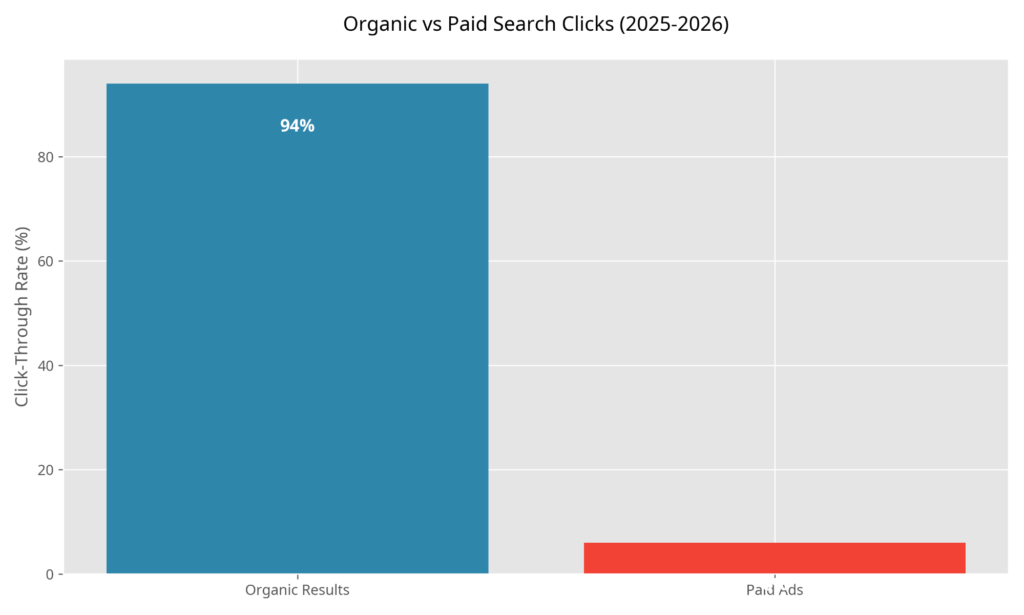
Beyond sheer volume, effective SEO leads to better visibility in both traditional Google searches and the rapidly expanding AI Overviews. It builds increased authority and trust with your audience, as users inherently trust websites that appear at the top of search results. Furthermore, optimizing for SEO naturally results in an improved user experience, faster load times, mobile responsiveness, and clear navigation, which directly correlates with higher conversion rates.
Setting Up WordPress for SEO Success
Choosing an SEO Friendly Domain Name
Your domain name is the digital address of your business and the first signal you send to search engines and users. When selecting a domain, the debate often centers around brandable versus keyword domains. While keyword-rich domains used to offer a significant ranking boost, search engines now prioritize brandable domains that build long-term recognition and trust.
Choose a domain extension that aligns with your business goals; .com remains the gold standard globally, but regional extensions like .ae can be highly effective for local SEO in Dubai. Crucially, your domain must be secure. HTTPS and SSL certificates are no longer optional; they are mandatory ranking factors. Search engines actively penalize sites without SSL, warning users that the connection is not secure, which drastically increases bounce rates.
Selecting Reliable Web Hosting
The foundation of your WordPress SEO strategy rests heavily on your web hosting provider. Why hosting affects SEO comes down to two critical factors: speed and uptime. Search engines prioritize websites that load quickly and are consistently available.
When evaluating shared hosting vs VPS vs cloud hosting, consider your traffic volume and growth projections. Shared hosting may be cost-effective for new sites, but it often lacks the resources needed for optimal speed. Upgrading to VPS or cloud hosting provides dedicated resources, significantly improving Core Web Vitals, a major ranking factor in 2026. Consistent uptime ensures that search engine crawlers never encounter a dead site, which could lead to de-indexing.
Installing WordPress Correctly
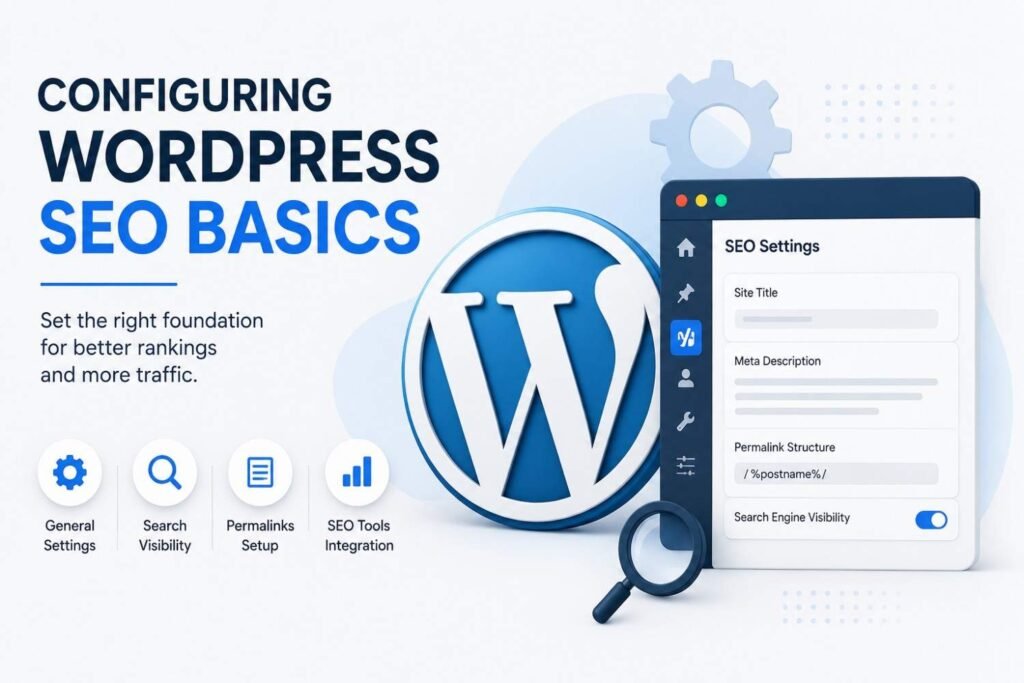
A flawless installation sets the stage for SEO success. Begin by ensuring your HTTPS setup is active from day one, forcing all traffic through the secure protocol. Once installed, navigate to your WordPress dashboard to manage search engine visibility settings. It is vital to ensure that the “Discourage search engines from indexing this site” box is unchecked; otherwise, your site will remain invisible.
Next, focus on site title and tagline optimization. These elements often serve as the default meta title for your homepage and provide search engines with immediate context about your business. Ensure they accurately reflect your brand and incorporate your primary keywords naturally.
Configuring WordPress SEO Basics
SEO Friendly Permalink Structure
Permalinks are the permanent URLs of your individual pages and posts. An SEO-friendly permalink structure is crucial because it helps both users and search engines understand the content of the page before they even click.
The recommended URL structure is the “Post name” setting, which creates clean, readable URLs (e.g., eyesonsolution.com/seo-services). Avoiding dynamic URLs (which look like ?p=123) is essential, as they provide zero contextual value. Implementing the best permalink settings early prevents the need for complex redirects later, which can dilute your link equity.
Managing Categories and Tags
Properly organizing your content helps search engines navigate your site and understand the relationship between different topics. Categories vs tags serve different purposes: categories are broad groupings (like the chapters of a book), while tags are specific details (like the index).
Preventing duplicate content is a major concern when managing these taxonomies. If not configured correctly, WordPress can generate multiple URLs for the same content through category and tag archives. Organizing content effectively means using categories sparingly and strategically, and ensuring your SEO plugin is set to noindex unnecessary archive pages to maintain a clean site architecture.
XML Sitemaps and Robots.txt Optimization
An XML sitemap acts as a roadmap for search engines, listing all the important pages on your site that you want indexed. Understanding what XML sitemaps are and why they matter is fundamental; they ensure that crawlers find your content efficiently, especially deep-linked pages. Creating and submitting sitemaps is typically handled automatically by SEO plugins, but you must manually submit the sitemap URL to Google Search Console.
Similarly, the purpose of robots.txt is to give instructions to web robots about which pages they can or cannot crawl. Blocking unnecessary pages, such as admin directories or internal search results, preserves your crawl budget. Common mistakes to avoid include accidentally blocking CSS or JavaScript files, which prevents Google from rendering your site correctly and assessing its mobile-friendliness.
Choosing the Best WordPress SEO Plugin
Why SEO Plugins Matter
WordPress is inherently SEO-friendly, but it requires an SEO plugin to unlock its full potential. These plugins provide the necessary tools to optimize metadata, generate sitemaps, and analyze content readability without needing to write custom code.
When evaluating options, Yoast SEO remains a popular choice due to its robust features and benefits, particularly its beginner-friendly traffic light system for content analysis. However, its pros and cons often highlight its heavy resource usage. Rank Math SEO has surged in popularity, offering advanced key features and integrated AI capabilities that streamline the optimization process. All in One SEO (AIOSEO) provides excellent features and use cases for local businesses, while SEOPress serves as a powerful, lightweight alternative that won’t slow down your site.
Comparing popular WordPress SEO plugins involves looking at ease of use, pricing, advanced features, and schema support. For businesses focused on maximizing performance, choosing a plugin with comprehensive schema markup capabilities is essential for winning rich snippets in search results.
Keyword Research for WordPress SEO
Understanding Search Intent
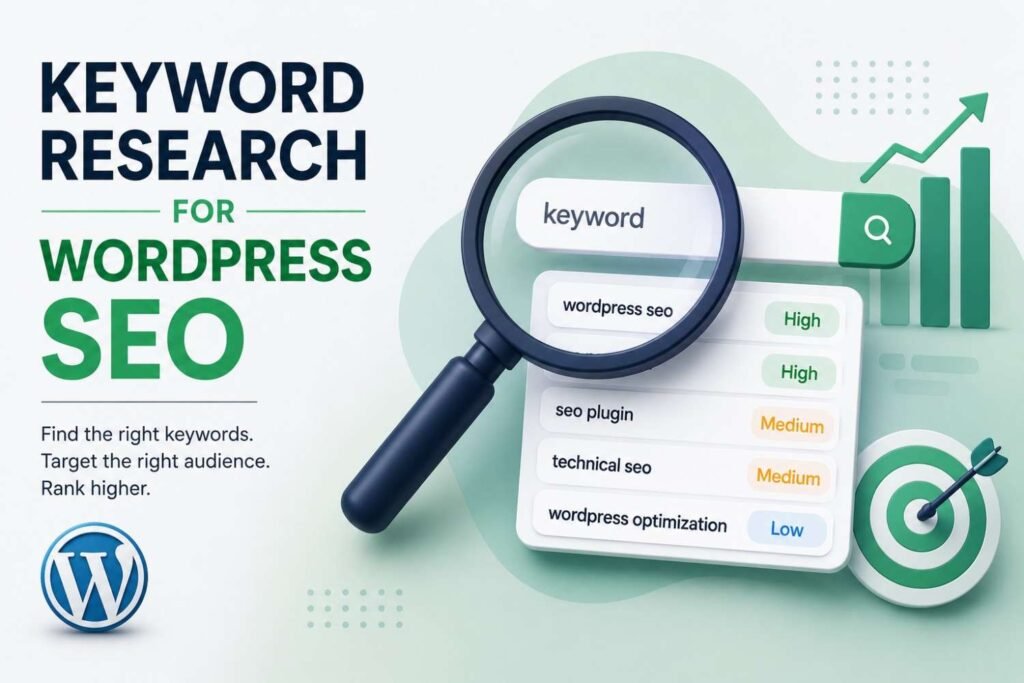
Keyword research is the cornerstone of any successful SEO campaign, but identifying the right words is only half the battle. You must understand search intent, the underlying goal of the user’s query.
- Informational intent: The user is looking for answers or knowledge (e.g., “What is WordPress SEO?”).
- Commercial intent: The user is researching options before making a purchase (e.g., “Best SEO company in Dubai”).
- Transactional intent: The user is ready to buy (e.g., “Hire SEO agency Dubai”).
- Navigational intent: The user is looking for a specific website (e.g., “Eyes On Solution login”).
Aligning your content with the correct intent is crucial. If a user wants to buy, presenting them with a long-form informational article will result in a bounce, signaling to Google that your page did not satisfy their needs.
Finding the Right Keywords
A balanced keyword strategy targets a mix of terms. Primary keywords define the core topic of the page, while secondary keywords provide supporting context. Long tail keywords, longer, more specific phrases, often have lower search volume but significantly higher conversion rates due to their precise intent. Furthermore, targeting question-based keywords is increasingly important for capturing voice search traffic and appearing in AI Overviews.
To gather this data, utilize robust keyword research tools. Google Keyword Planner offers foundational data, while advanced platforms like Ahrefs and Semrush provide deep insights into competitor strategies and keyword difficulty. Google Search Console is also invaluable for identifying “hidden terms”, keywords your site is already ranking for but perhaps not fully optimized to capture.
On Page SEO for WordPress
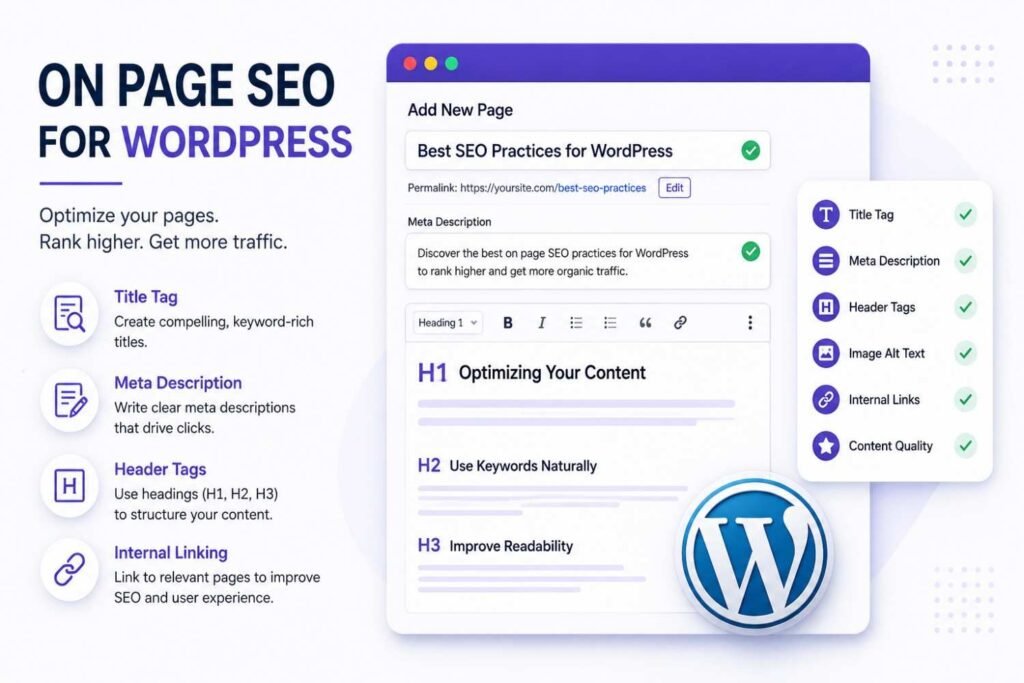
Optimizing Title Tags and Meta Descriptions
Title tags and meta descriptions are the first impression your website makes on the SERP. Optimizing title tags involves adhering to best practices such as keeping them within character limits (typically 50-60 characters) to avoid truncation, and ensuring strategic keyword placement near the beginning of the title.
Writing meta descriptions is equally critical due to the importance of CTR (Click-Through Rate). While not a direct ranking factor, a compelling meta description acts as ad copy, enticing users to click. Optimization tips include keeping descriptions under 160 characters, including a clear call-to-action, and naturally incorporating secondary keywords.
Header Tag Structure and URL Optimization
A logical header tag structure (H1, H2, H3 hierarchy) organizes your content for both readers and search engines. The H1 tag should be reserved for the main title, with H2s and H3s breaking down subtopics. This structure provides significant readability benefits and helps search engines grasp the thematic flow of your page.
URL optimization requires creating short URLs that accurately reflect the page content. Effective keyword usage in the URL reinforces the topic, while avoiding stop words (like “and,” “the,” “or”) keeps the permalink clean and concise.
Image SEO and Internal Linking Strategy
Images enhance user engagement but can drag down site speed if not handled correctly. Image SEO starts with alt text optimization, providing descriptive text for visually impaired users and search engine crawlers. File names should be descriptive rather than generic (e.g., dubai-seo-services.jpg instead of IMG_1234.jpg). Implementing image compression and utilizing next-gen formats like the WebP format ensures fast loading times without sacrificing quality.
An effective internal linking strategy is vital for distributing page authority throughout your site. The benefits of internal links include keeping users engaged longer and establishing topic clusters that signal deep expertise to search engines. Anchor text optimization, using relevant keywords in the clickable text, provides context for the linked page. Additionally, adhering to external linking best practices by linking out to authoritative sources builds credibility and trust.
Content Readability Optimization
High-quality content must be easily digestible. Content readability optimization involves using short paragraphs and bullet points to break up large walls of text. Including a table of contents for long-form articles improves navigation and user experience improvements, which in turn reduces bounce rates and signals high engagement to search engines.
Creating SEO Friendly Content in WordPress
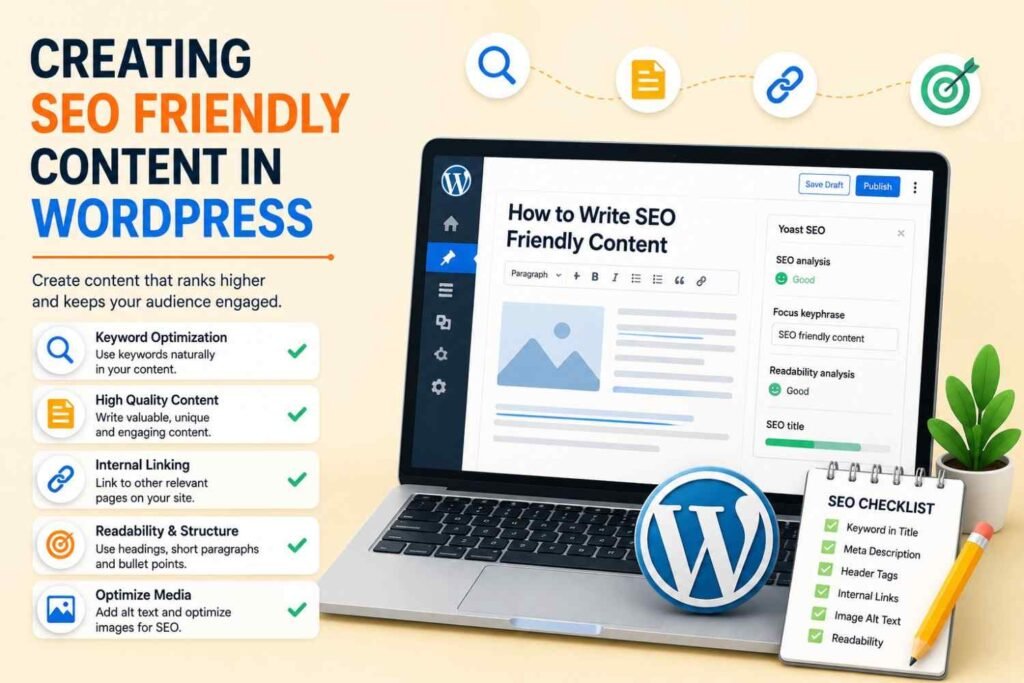
Writing Content for Search Intent and Building Topic Clusters
Creating content that ranks requires writing content for search intent. You must directly address the user’s problem and provide a comprehensive solution. Building topic clusters, a central pillar page covering a broad topic, linked to multiple detailed cluster pages, establishes your site as an authority in your niche.
Content freshness and updates are also critical. Search engines favor up-to-date information, so regularly reviewing and refreshing older posts ensures they remain relevant and competitive.
E-E-A-T Principles and Avoiding Thin Content
Google heavily weighs the E-E-A-T principles: Experience, Expertise, Authoritativeness, and Trustworthiness. To satisfy these criteria, your content must demonstrate real-world experience, showcase professional expertise, build authoritativeness through backlinks and mentions, and establish trustworthiness via secure protocols and transparent business practices.
Avoiding thin content is mandatory. Pages with little value or low word counts will not rank. Instead, focus on creating pillar pages, comprehensive, authoritative guides that thoroughly cover a core topic. This depth of content is essential for content optimization for featured snippets, where providing clear, concise answers to specific questions can win you the highly coveted “position zero” on the SERP.
Optimizing for AI Search and AI Overviews
The SEO landscape is undergoing a massive shift with the introduction of Generative AI in search. Optimizing for AI Search and AI Overviews requires a strategy known as Generative Engine Optimization (GEO). AI engines look for clear, structured, and highly authoritative content to synthesize into their summaries.
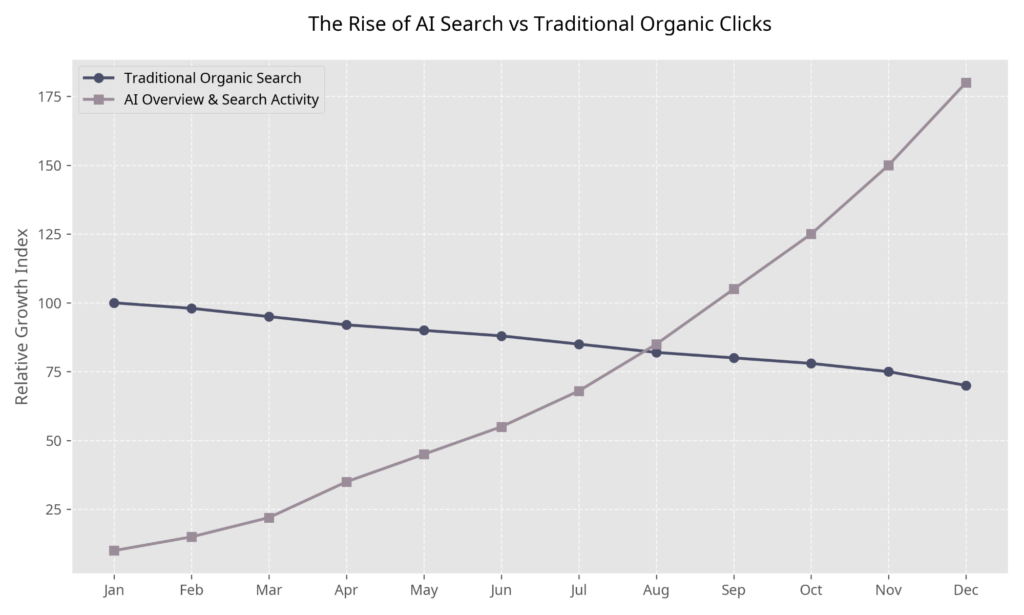
To ensure your content is cited by AI, focus on providing direct answers, utilizing structured data, and maintaining exceptional factual accuracy. AI models prioritize content that is easily parsable and backed by strong E-E-A-T signals.
Technical SEO for WordPress
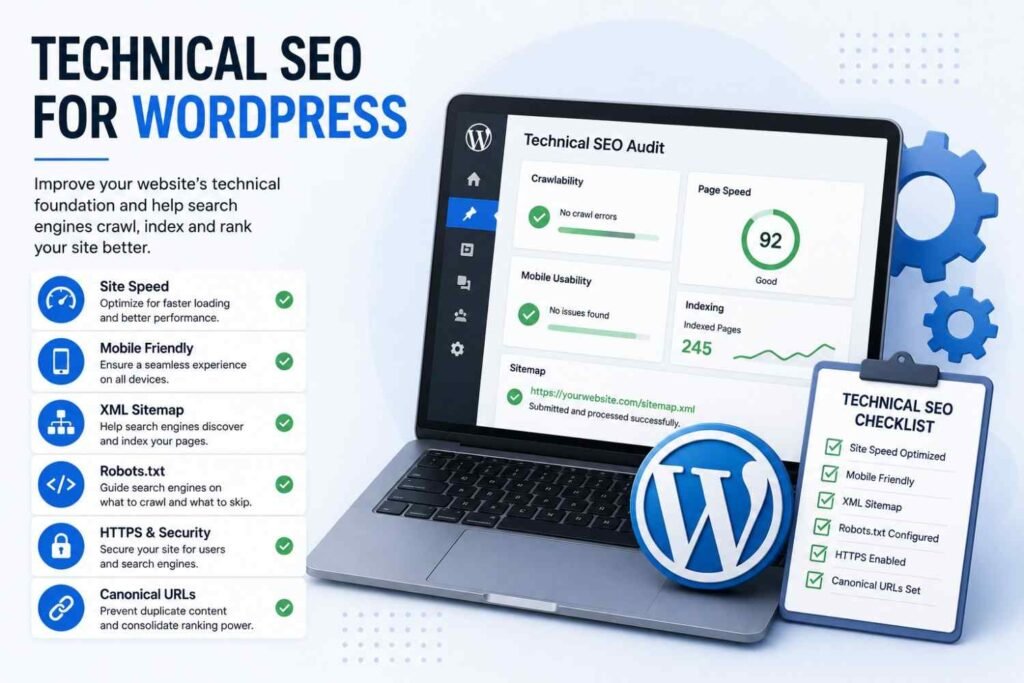
Improving Website Speed and Core Web Vitals
Technical SEO ensures that the underlying architecture of your site is flawless. Improving website speed is paramount. Utilizing caching plugins like WP Rocket or LiteSpeed Cache drastically reduces server response times. Coupling this with image optimization tools like ShortPixel or Imagify, minification and compression of CSS/JS files, and utilizing Content Delivery Networks (CDNs) ensures your site loads lightning-fast globally.
Google’s Core Web Vitals optimization is a direct ranking factor in 2026. You must master:
- Largest Contentful Paint (LCP): Measures loading performance (aim for under 2.5 seconds).
- Interaction to Next Paint (INP): Measures interactivity and responsiveness.
- Cumulative Layout Shift (CLS): Measures visual stability (preventing elements from jumping around as the page loads).
| Core Web Vital Metric | What It Measures | Target Score for 2026 |
|---|---|---|
| LCP (Largest Contentful Paint) | Loading Speed | < 2.5 seconds |
| INP (Interaction to Next Paint) | Interactivity | < 200 milliseconds |
| CLS (Cumulative Layout Shift) | Visual Stability | < 0.1 |
Mobile Optimization, Crawlability, and Indexing
With mobile-first indexing as the standard, mobile optimization is non-negotiable. Ensure your site utilizes responsive design and maintains excellent mobile usability, as the majority of searches now occur on mobile devices.
Maintaining crawlability and indexing health involves regularly auditing your site via Google Search Console. Fixing crawl errors promptly ensures search engines can access your content. Properly managing noindex pages keeps low-value pages out of the index, while implementing canonical tags is essential for preventing duplicate content issues, especially on e-commerce sites.
Schema Markup for WordPress SEO
What Is Structured Data and Types of Schema
Schema markup is code (semantic vocabulary) that you put on your website to help search engines return more informative results for users. What is structured data? It is the language search engines use to read and understand the context of your content.
Implementing various types of schema markup can dramatically enhance your SERP presence. Article Schema helps blog posts appear in top stories, while FAQ Schema can secure extra real estate on the results page. Product Schema and Review Schema are critical for e-commerce, displaying prices and star ratings directly in search results. Organization Schema and Local Business Schema build entity trust, and Breadcrumb Schema improves navigation visibility.
How to Add Schema in WordPress
Adding schema is straightforward when using plugins designed for SEO. Most premium SEO plugins offer built-in schema generators. For highly specific needs, manual JSON-LD implementation allows for custom coding. The primary benefits of rich results are significantly higher click-through rates, as your listings become more visually appealing and informative than standard blue links.
Local SEO and Link Building Strategies
Local SEO for WordPress Websites
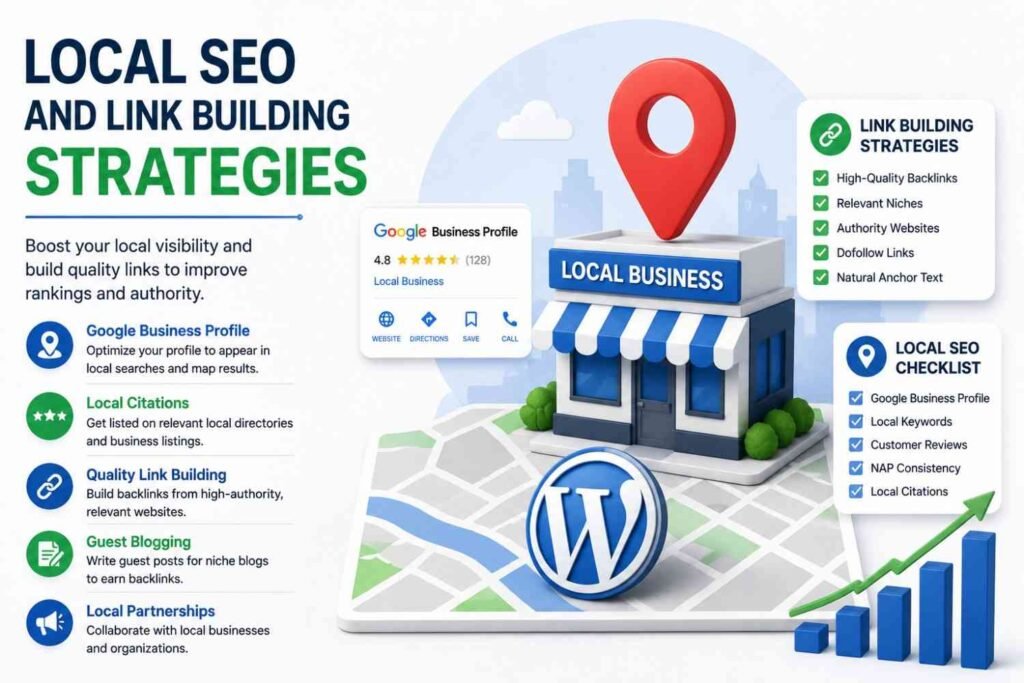
For businesses targeting specific geographic areas, like a digital marketing agency in Dubai, Local SEO for WordPress websites is vital. Begin by setting up a Google Business Profile to appear in local map packs. Create location specific pages if you serve multiple areas, and ensure NAP consistency (Name, Address, Phone Number) across all online directories. Implementing Local Schema Markup and actively earning local citations and reviews will solidify your regional authority.
Link Building Strategies for WordPress Websites
Backlinks remain a top ranking factor. Effective link building strategies for WordPress websites start with robust internal link optimization. Externally, focus on high-quality outreach. Guest posting on authoritative industry blogs and engaging in digital PR can yield powerful backlinks. Creating resource pages, executing broken link building campaigns, and utilizing platforms like HARO and authority mentions are proven tactics. Ultimately, building topical authority through comprehensive content naturally attracts high-quality, inbound links.
Monitoring WordPress SEO Performance
SEO is not a set-it-and-forget-it endeavor. Monitoring WordPress SEO performance requires setting up essential tools. Google Search Console setup is critical for tracking indexing status and search queries. Google Analytics 4 integration provides deep insights into user behavior and conversion paths.
Regularly tracking rankings and measuring organic traffic helps you understand the ROI of your efforts. Furthermore, continuously monitoring Core Web Vitals and proactively identifying technical issues ensures your site remains in top health, preventing sudden drops in visibility.
Common WordPress SEO Mistakes to Avoid
Even seasoned marketers can stumble. Avoid these common WordPress SEO mistakes:
- Using poor permalink structures that confuse search engines.
- Ignoring duplicate content issues that dilute page authority.
- Neglecting mobile optimization, leading to poor user experience.
- Accepting slow website speed, which drastically increases bounce rates.
- Publishing pages with missing meta tags.
- Leaving broken links unresolved.
- Overusing plugins, which bloats code and slows down the site.
- Engaging in keyword stuffing rather than natural integration.
- Publishing thin content that lacks depth and value.
- Neglecting internal links, stranding pages without authority.
Advanced WordPress SEO Strategies for 2026
To stay ahead of the curve, embrace advanced WordPress SEO strategies. Programmatic SEO allows for scaling content creation efficiently. Refining your topic cluster strategy builds unparalleled authority. Engaging in content pruning, updating or removing underperforming pages, consolidates your site’s power.
Most importantly, leverage AI assisted content optimization and master Generative Engine Optimization (GEO). Optimizing for Google AI Overviews requires clear formatting and direct answers. Additionally, focus on voice search optimization, entity based SEO, and semantic search optimization to ensure your site is understood contextually by next-generation search algorithms.
Build a Search Friendly WordPress Website That Ranks and Converts
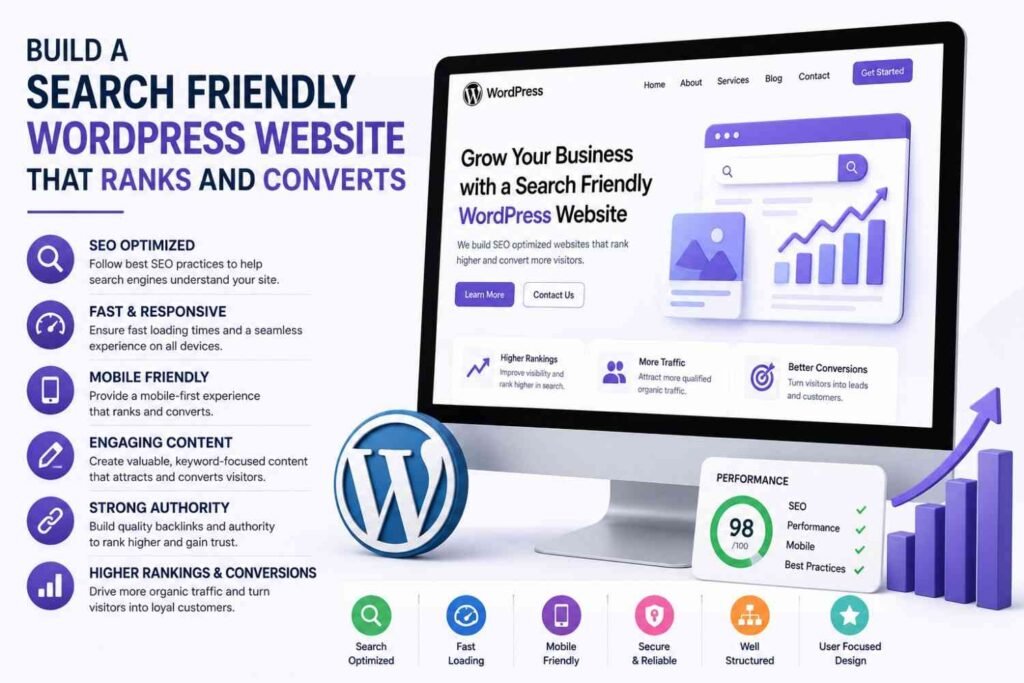
WordPress provides a strong, flexible foundation for SEO, but achieving top rankings requires dedicated effort and strategic execution. Success depends on a holistic approach encompassing technical optimization, high-quality content creation, flawless user experience, and the continuous building of digital authority.
As search technology evolves, modern WordPress SEO extends beyond traditional Google rankings to include AI Overviews, voice search, and Generative Engine Optimization (GEO). By implementing the strategies outlined in this guide and committing to continuous optimization and monitoring, you can transform your WordPress site into a powerful asset that drives sustainable organic traffic and consistent business growth.
Frequently Asked Questions
Can WordPress Websites Rank in AI Search Results?
Yes, WordPress websites can rank prominently in AI search results and Google AI Overviews. To achieve this, focus on Generative Engine Optimization (GEO) by structuring your content clearly, providing direct and factual answers to complex questions, utilizing schema markup, and building strong E-E-A-T (Experience, Expertise, Authoritativeness, Trustworthiness) signals. AI engines prioritize authoritative, well-structured content that is easy to parse and cite.
Which SEO Plugin Is Best for WordPress?
The best SEO plugin for WordPress depends on your specific needs, but top contenders include Rank Math, Yoast SEO, and All in One SEO (AIOSEO). Rank Math is highly recommended for its advanced features, lightweight code, and built-in AI capabilities. Yoast remains a solid choice for beginners due to its intuitive readability analysis, while AIOSEO excels in local SEO and WooCommerce integration.
Does Website Speed Affect WordPress SEO?
Absolutely. Website speed is a critical ranking factor for WordPress SEO, directly impacting your Core Web Vitals scores. Slow-loading pages lead to high bounce rates and poor user experience, which search engines penalize. Optimizing images, utilizing caching plugins, and upgrading your hosting environment are essential steps to improve load times and secure higher rankings.
How Long Does WordPress SEO Take?
WordPress SEO is a long-term strategy. Typically, it takes between 3 to 6 months to start seeing significant improvements in rankings and organic traffic. This timeline depends on various factors, including the competitiveness of your industry, the current state of your website, the quality of your content, and the consistency of your link-building efforts. Continuous optimization is required for sustained growth.
How Can I Improve WordPress Rankings Faster?
To improve WordPress rankings faster, focus on quick wins: fix technical SEO errors, improve your Core Web Vitals, and optimize existing content by updating meta tags and expanding thin articles. Additionally, implement a strong internal linking strategy, target long-tail keywords with lower competition, and launch targeted guest posting campaigns to build high-quality backlinks swiftly.